 Greg Hoffman
You’re on a video call with your biggest client. The background shows pine trees and mountain light that would make anyone jealous. Then your hotspot drops, your laptop battery hits 11%, and the client asks you to share your screen. This is the moment nobody’s Instagram post covers. Remote work from an RV is genuinely fantastic until it isn’t, and the difference between those two outcomes comes down almost entirely to preparation.
Most coverage of this topic reads like a travel blog written by someone on a two-week vacation. Actual full-time remote workers living in RVs face a completely different set of problems: consistent power, reliable internet in locations that change every few days, a workspace that doesn’t wreck your back or your productivity, and a financial reality that includes both campground fees and a regular rent payment somewhere.
Let me tell you what actually works.
Internet: Your One Non-Negotiable
Everything else in your RV setup is negotiable. Internet is not.
The biggest mistake new remote workers make is relying on a single carrier. Verizon dominates the rural West. T-Mobile crushes the Northeast corridor and Pacific Northwest. AT&T fills gaps neither of them covers. No single carrier works everywhere, and “everywhere” is exactly where you’ll end up if you’re serious about this.
Here’s my actual setup: a Verizon hotspot (Jetpack or a recent phone), a T-Mobile backup hotspot, and a WeBoost Drive Reach cellular booster mounted on the roof. That booster has transformed completely unusable 1-bar signals into workable 3-bar connections more times than I can count. In genuinely remote spots, it’s saved a client call at least a dozen times over the years.
For serious remote workers, add Starlink RV to the mix. It’s $150/month for the roaming plan as of this writing, and the performance in open-sky locations is legitimately impressive: often 100-200 Mbps down. The catch is real though. It struggles under tree cover, requires a clear view of the northern sky, and the dish takes a few minutes to lock on after you move. Don’t treat it as a replacement for cellular in wooded campgrounds. Think of it as a complement.
Budget $100-$200/month on mobile internet between multiple carriers and/or Starlink. That’s not optional spending. That’s your office rent.
Use Campendium and The Dyrt before booking anything. Both include user-reported cell signal information broken down by carrier. People tell you exactly which networks work and whether Starlink is viable. Search first, book second.
Power: More Than Just Plugging In
| Component | Minimum | Recommended | Notes |
|---|---|---|---|
| Solar capacity | 200 watts | 400 watts | Flexible panels improved; rigid panels better efficiency per dollar |
| Battery bank | - | 200Ah lithium | Handles workday with power to spare on clear days |
| Mobile internet budget | $100/month | $200/month | Multiple carriers essential; Starlink RV adds $150/month |
| Noise-canceling headphones | $60 | $350 | Anker Soundcore Q45s vs. Sony WH-1000XM5s |
| Monitor/camera light | Optional | Recommended | Ring light clips to laptop; improves video call appearance |
Shore power at a full-hookup campsite solves most of your problems, but finding full hookups at a good site in a convenient location isn’t guaranteed. Boondocking, dry camping, or 30-amp-only sites change the math significantly.
You need enough power to run your laptop, your monitors if you use them, your hotspot equipment, and basic lighting for 8-10 hours without stress. Shore power? You’re fine. No shore power? Battery and solar become your problem.
I run a 200Ah lithium battery bank with 400 watts of solar. On a clear summer day, that handles my workday with power to spare. On overcast November days in the Pacific Northwest, I throttle down to just the laptop and one hotspot and hunt for 30 amps.
A battery monitor isn’t optional if you’re working off-grid. You need to know your state of charge in real time. The Victron BMV-712 is what I’d recommend without hesitation. It’s accurate, the Bluetooth app actually works well, and it integrates with most lithium setups. Check pricing on Amazon (affiliate link, the site may earn a commission).
For solar, 200 watts is the bare minimum for remote work. 400 watts is comfortable. Flexible panels have improved dramatically over the last three years, and rigid panels still deliver better efficiency per dollar if you have roof space.
One more thing: a quality surge protector for shore power hookups. Campground power is notoriously dirty. A bad surge at a cheap campground can fry your laptop, your inverter, your entire setup. The Progressive Industries EMS-PT30X (or the 50-amp equivalent) is the standard recommendation and what I use. See it on Amazon (affiliate link).
Your Workspace Setup
Working from your dinette for eight hours will give you a back problem. I know because I did it for four months before I got serious.
Your setup doesn’t need to be elaborate, but it needs a few things: a surface at the right height, a chair with actual support, a way to elevate your laptop screen to eye level, and enough separation from the living space that you can mentally clock in and clock out.
Class A and fifth wheel owners with dedicated desks are ahead of the game. Class B van and small travel trailer owners are building from scratch. A few things that actually work in tight spaces:
A laptop stand plus external keyboard and mouse gets your screen to eye level and saves your neck. Twelve Sound and Rain Design both make compact options. A folding ergonomic travel chair (affiliate link) is worth the cost if you don’t have a dedicated chair. Blackout curtains on the window behind your monitor kill screen glare instantly. A small ring light clips to your laptop and dramatically improves your video call appearance, which matters more than people admit.
Noise is the sleeper issue nobody talks about. Campgrounds aren’t libraries. Neighbor generators, kids, dogs, highway noise. A decent pair of noise-canceling headphones is essential for video calls. Sony WH-1000XM5s are the standard recommendation at $350, but the Anker Soundcore Q45s are $60 and legitimately good if you don’t want to spend that much.
Planning Your Stops Around Work Requirements
Most RV itinerary advice is written for vacationers. You’re not on vacation. Every stop needs to be evaluated for connectivity, power, and how many days you actually need to justify the move time.
Moving every night sounds romantic and is productivity-destroying. Four to seven night stays hit the sweet spot: long enough to work without constant logistics overhead, short enough to keep moving.
Before booking any campground, check these things:
- Cell signal reports on Campendium or The Dyrt (carrier-specific, not just vague “good” or “bad” ratings)
- Whether full hookups exist or if it’s electric-only or dry camping
- Proximity to a coffee shop or library as a backup work location
- Check-in and checkout times relative to your work schedule
That last one gets overlooked constantly. If checkout is 11am and you have calls until noon, you either book an extra night or have a plan for where you’re working during that gap.
Keep a running list of campgrounds where work actually happened. I have a note in my phone called “Good Work Spots” that’s been invaluable for planning routes. Best finds so far: state forest campgrounds in the Ozarks (cheap, surprisingly solid Verizon), COE (Corps of Engineers) campgrounds near major reservoirs (often full hookups at $20-28/night), and KOA sites near college towns (generally decent cell infrastructure nearby).
The Real Budget: What Nobody Publishes
Sources
Here are actual numbers instead of the vague “it depends” answer most articles hide behind.
| Expense Category | Approximate Monthly Cost |
|---|---|
| Campground fees (mix of hookups, state parks, boondocking) | $400-$800 |
| Fuel (moving 3-5x/month, Class C or smaller) | $200-$500 |
| Mobile internet (2 carriers + Starlink) | $150-$220 |
| RV insurance | $150-$250 |
| Maintenance reserve (mechanical) | $200-$400 |
| Propane, supplies, misc | $100-$200 |
| Total RV-specific overhead | $1,200-$2,370/month |
That range is wide because your choices drive the cost. Full-hookup RV parks every night in popular areas run $50-80/night. Mix in boondocking and state parks and your campground spend drops dramatically.
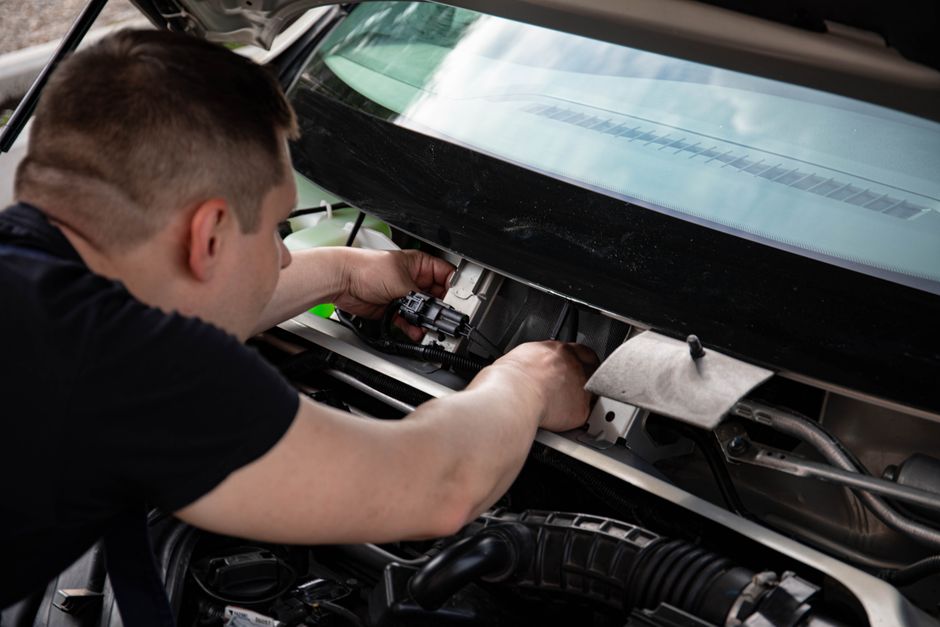
The number most people underestimate is maintenance. RVs are driven vehicles that are also homes. Things break. I budget $200-400/month and I’ve needed every bit of it over eight years. Wheel bearings. Water pump failures. Slide-out motor issues. A refrigerator that quit in Arizona in July. None of that is hypothetical. Plan for it financially before it happens, not after.
The people who make this lifestyle work long-term aren’t the ones with the prettiest Instagram accounts. They’re the ones who solved the unsexy problems first: power, internet, workspace ergonomics, and a realistic budget. Get those foundations right and the pine trees and mountain light are genuinely yours to enjoy. Get them wrong and you spend your best years troubleshooting instead of living.
Photo: Sóc Năng Động via Pexels