 Sandra Park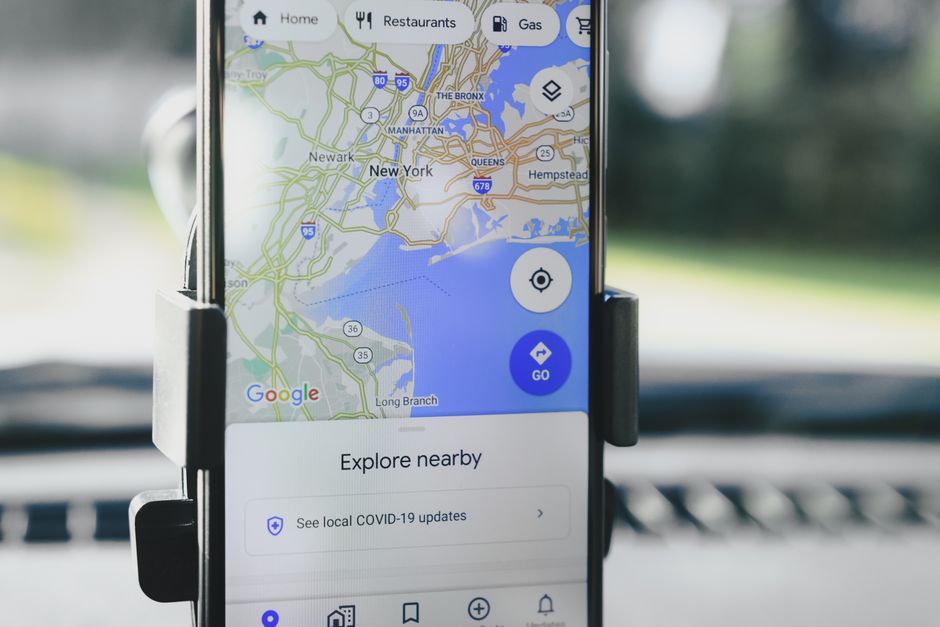
You’ve probably spent the last few hours with six browser tabs open, reading “top 10 RV apps” articles that all recommend the same five apps in the same order, none of which explain what full-time travel actually requires versus a weekend camping trip. I know that feeling. I spent my first three months on the road with a patchwork of tools that worked fine individually and constantly failed me together, and it took a blown tire on a mountain road outside Durango with no cell signal and no real offline map to finally force me to get serious about this.
Here’s what I tell people who are planning to live in an RV, not just visit in one: trip planning looks completely different when this is your address. You’re not optimizing for fun. You’re optimizing for fuel costs, dump station access, mail forwarding logistics, whether that “campground” actually fits a 36-foot Class A, and whether you’ll have enough solar days to work remotely. The app question isn’t “which one is prettiest?” It’s “which combination of tools will keep me from making expensive mistakes?”
The App That Does the Most Heavy Lifting: Campendium vs. The Dyrt vs. Harvest Hosts
You might be wondering if there’s one app to rule them all. There isn’t, and anyone telling you otherwise either drives a 20-foot van or has never tried to book a site in September when the western national forests are at capacity.
That said, for route-specific campground research, The Dyrt Pro is the one I’d tell you to pay for first. It’s $35.99 a year currently, and the offline maps with campground pins have saved me more times than I can count in dead zones. The crowd-sourced reviews are actually useful because they’re granular, people note things like “rig length max is really 30 feet despite what the listing says” or “the gravel pull-through on site 14 is longer than the others.” Those are the details that prevent you from getting stuck.
Campendium is free and its filtering is excellent for full-timers specifically. You can sort by hookup type, price per night, and cell signal strength, which matters enormously if you’re working remotely. I still use it as a secondary check, particularly for BLM and free camping because the community there is heavy with long-term travelers.
Harvest Hosts is different enough that comparing it directly to the others is a category error. It’s a $99/year membership program that gives you free overnight stays at wineries, breweries, farms, and museums, usually without hookups. If you’re self-contained (solar, water, composting or cassette toilet), it’s one of the better deals in RV life. I’ve stayed at a lavender farm outside Sequim, Washington and a goat dairy in Vermont that I’d still go back to. Not for everyone, but for the right setup it pays for itself in a month.
For Actual Route Planning: Roadtrippers Plus and Why Google Maps Will Get You in Trouble
Google Maps will route a diesel pusher over a 9% mountain grade with a 13-foot clearance tunnel. It has happened to people I know. Don’t use Google Maps as your primary routing tool.
RV LIFE Trip Wizard (the web platform paired with the RV LIFE Pro app, currently around $49.99/year) is specifically built for RV routing. You enter your rig’s height, weight, length, and propane setup, and it routes you away from low bridges, weight-restricted roads, and problematic tunnels. Is it perfect? No. I’ve still had it suggest a road that got hairy on a pop-up camper forum. But it catches the obvious stuff, and the “obvious stuff” is exactly what costs $3,000 when you miss it.
Roadtrippers Plus ($35.99/year) is better for the discovery side of planning. Finding interesting stops, unusual attractions, good fuel stops relative to your route. I use it early in the trip-planning phase when I’m still figuring out the general corridor, then move to RV LIFE for the actual driving route.
The honest take on both: they work best together, and the combined cost is still under $90 a year, which is less than what you’ll spend on one night at a full-hookup resort.
The One App Most People Don’t Think About Until Month Four
iOverlander started as a tool for people doing overlanding and long-distance van travel internationally, but it’s genuinely useful for finding free or low-cost dispersed camping spots in the U.S. and Canada too. It’s free. The data skews toward smaller rigs, so filter for your rig type before you get excited about a spot, but for boondocking research it’s a solid companion to Campendium.
What really changed my planning, though, was treating Gaia GPS as a core tool rather than an optional one. Gaia is traditionally a hiking app, but for full-timers who spend time on BLM land or Forest Service roads, having downloadable topo maps with land ownership layers is legitimately useful. You can see where BLM land starts, where private property ends, whether that road you’re considering is Forest Service or county-maintained. I pay $39.99 a year for it and would miss it significantly if it disappeared.
How to Actually Build a System That Works
| App | Primary Use | Annual Cost | Best For |
|---|---|---|---|
| The Dyrt Pro | Campground research & offline maps | $35.99 | Dead zones, detailed rig-specific reviews |
| Campendium | Campground filtering & free camping | Free | Full-timers, BLM sites, cell signal sorting |
| Harvest Hosts | Alternative overnight stays | $99.00 | Self-contained rigs at farms, wineries, museums |
| RV LIFE Trip Wizard | RV-safe route planning | $49.99 | Height/weight routing, bridge clearance avoidance |
| Roadtrippers Plus | Trip discovery & fuel stops | $35.99 | General corridor planning, attractions |
| iOverlander | Dispersed camping spots | Free | Boondocking research, free camping |
| Gaia GPS | Topo maps & land ownership | $39.99 | BLM/Forest Service roads, land boundaries |
You might be wondering how to avoid ending up with seven apps that you never actually open. Here’s the workflow I’ve settled into after years of trial and more error than I’d like to admit.
Start with Roadtrippers when you’re in the dreaming phase, looking at a general region. Once you have a rough corridor, move to RV LIFE Trip Wizard to build the actual driving route and verify it’s safe for your rig. Then cross-reference campgrounds in The Dyrt and Campendium to decide where you’re stopping and whether you need reservations. If you’re planning any boondocking legs, check Campendium’s free camping filter and iOverlander. And if you’re on Harvest Hosts, set up your route stops 2-3 weeks out because the popular spots fill fast.
What I don’t do anymore: use any single app exclusively, rely on in-app maps for actual driving navigation (Apple Maps or Waze for in-motion navigation, after RV LIFE generates the safe route), or skip the offline download step before leaving cell range.
One more thing. Your phone dies, your tablet crashes, things happen. I keep a printed “campground card” for any stretch of more than three days without reliable cell service. It sounds old-fashioned until you’re parked outside Moab at 7 PM with a dead tablet and no backup.
What About Passport America, Good Sam, and the Rest of the Discount Club Apps?
Sources
- AS Photography
- skews toward smaller rigs
- it’s a solid companion to Campendium
- and you’ll wonder if they’re worth the subscription
These aren’t really trip planning apps, but they belong in this conversation because they’ll come up in your research and you’ll wonder if they’re worth the subscription.
Passport America ($44/year) claims 50% off participating campgrounds. The actual discount is usually real, but the participating campground list skews toward older, less-desirable parks, and the app itself is pretty clunky. If you’re moving constantly and staying in a mix of campground types, it can pay off. If you’re a boondocker or Harvest Hosts person, probably skip it.
Good Sam ($30/year) gives you 10% off at Camping World stores and partner campgrounds. I’ve had the membership for years because I buy enough at Camping World (filters, connectors, propane fittings) to justify it, but I wouldn’t call it a trip planning tool.
The app worth mentioning here that often gets overlooked is Campsite Photos, which does one thing: shows you user-submitted photos of specific campsites before you book them. It’s free. There’s no substitute for seeing an actual photo of a site versus trusting a campground map that was designed in 2004.
You don’t need to run all of these on day one. Start with The Dyrt Pro and RV LIFE, learn them well, and add the others as your travel style clarifies. After a few months on the road you’ll know exactly which gaps need filling. The system you build in year one won’t look like the system you’re running in year three, and that’s completely fine.
Photo: AS Photography via Pexels